Clicking on any of the suggested journeys will give you a detailed breakdown of the journey.
This will include departure and arrival times for each stage of the journey and available transport options (eg bus number, train operator etc).
You will also see any journey or station alerts that might affect your journey.
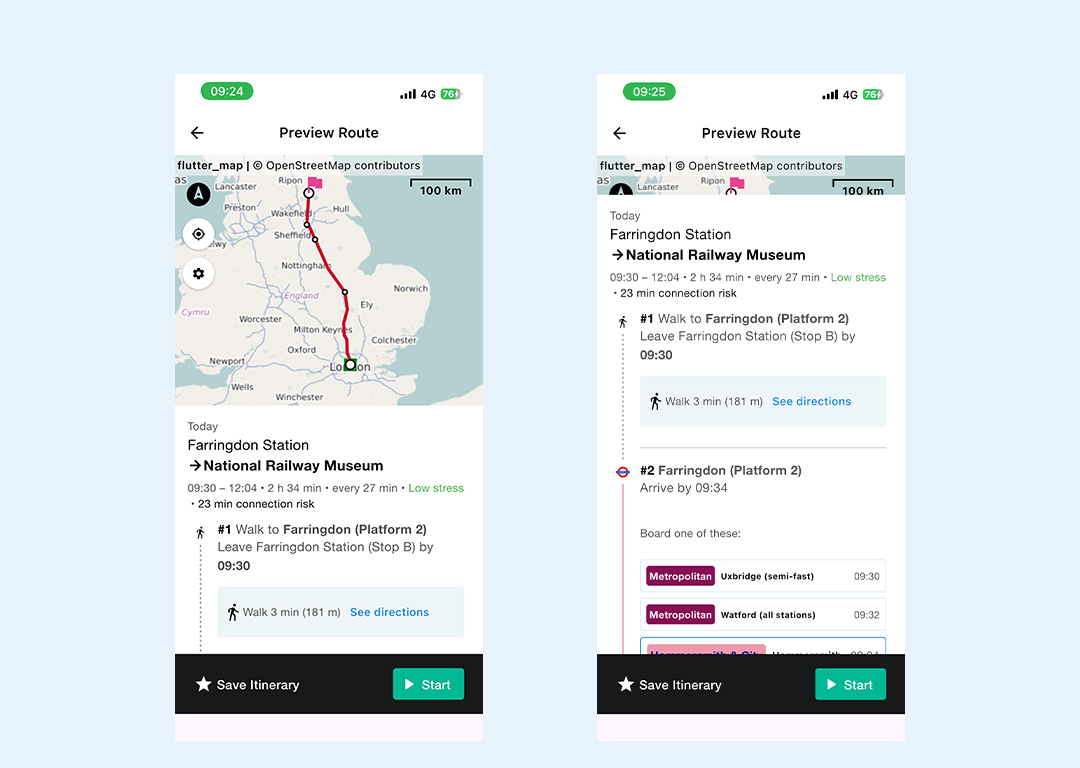
You can also click though to see more details about your journey, including viewing stops for each mode of transport, walking directions and station information for your start, interchange and destination stations.
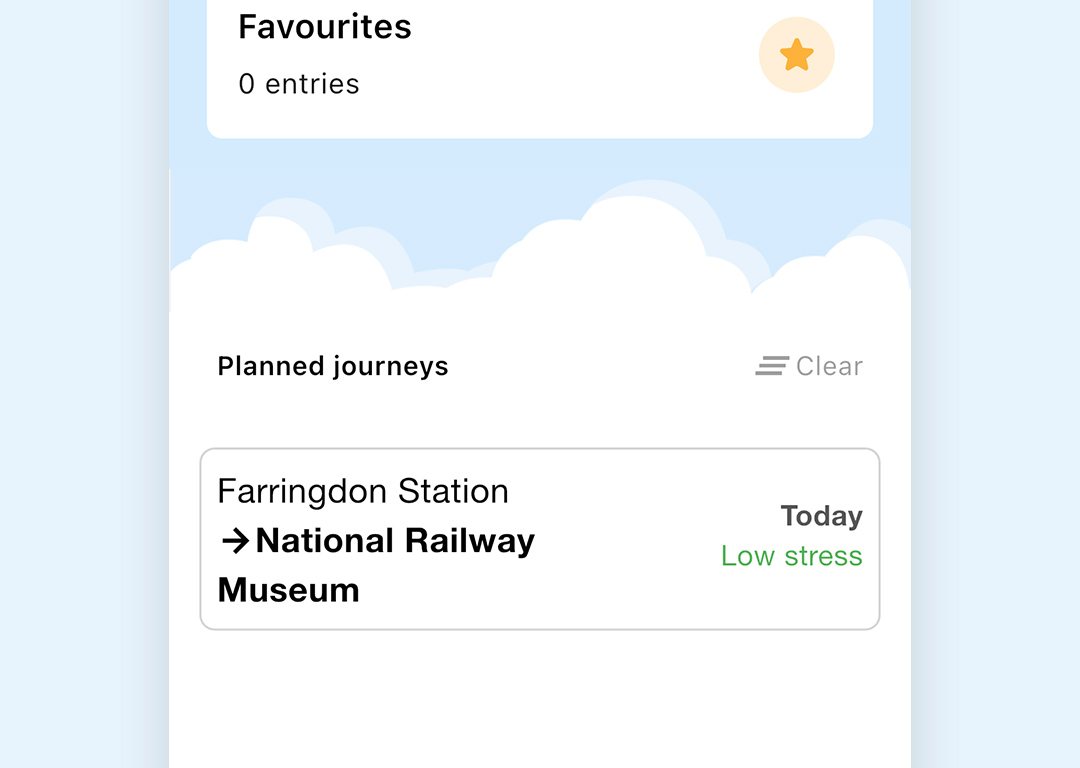
Click on Save Itinerary to save a future journey. The saved journey will then appear on your home screen under Planned journeys
If you are planning a journey straight away, or you are within an hour of the start time of a saved journey you will see a green Start button at the bottom of the screen when you click on your chosen journey.


